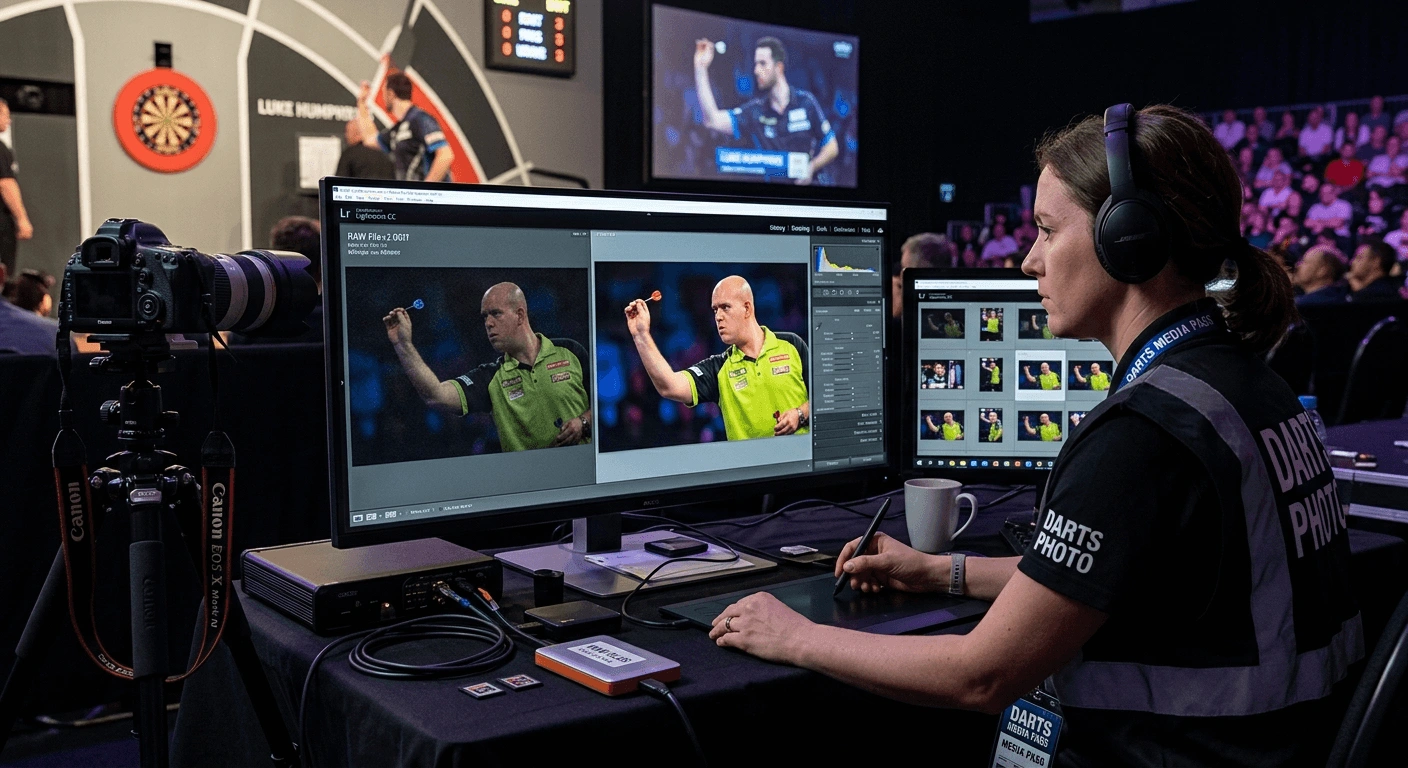
Walk into Alexandra Palace on finals night and you will immediately see the problem. The stage floods with tungsten spotlights mixed with LED wash lighting, television camera rigs throw their own colour casts, and the crowd sits in near darkness.
Your DSLR or mirrorless body is trying to process all of that and compress it into a JPG before the shutter even closes. The result is usually muddy skin tones, blown-out whites on the player's shirt, and a greenish tint across the entire frame. Shooting in RAW is how you fix that, and converting those files for web publishing is easier than most photographers realise.
Shooting in RAW gives darts photographers full control over exposure and colour after the fact, not just in the moment.
Arena tungsten lighting creates colour casts that JPG processing bakes in permanently, but RAW files let you correct them without losing quality.
Free browser-based tools now handle RAW-to-JPG conversion, so you do not need Lightroom or Photoshop to publish professional shots.
Crop ratios matter for different platforms, and getting them right takes your images from average to polished in seconds.
Why Tungsten Lighting Destroys Auto-Processed JPGs
Most indoor darts venues use tungsten or halogen fixtures over the playing area. These lights sit around 2700K to 3200K on the colour temperature scale, which is dramatically warmer than daylight. Your camera's auto white balance will try to neutralise that warmth, but when you also have LED signage, TV lights, and ambient crowd lighting all competing in the same frame, it guesses wrong constantly.
JPG is a finished file. When the camera writes a JPG, it bakes in its white balance guess, sharpening, contrast, and noise reduction permanently. You can try to fix it in post, but you are pushing compressed pixel data around, and the results show. Banding appears in gradients. Shadows fall apart. Skin tones on players go orange or green depending on which light source wins.
RAW is not an image. It is raw sensor data. The camera records everything it sees without committing to any processing decisions. That means you get to decide, after the fact, exactly what white balance and colour grade you want. A photo that looks unsalvageable on the back of the camera can become a clean, broadcast-quality image in a minute of editing.
For PDC and WDF event coverage, where image quality reflects directly on the credibility of your coverage, that difference matters enormously.
What RAW Files Actually Give You on the Oche
The practical advantages go beyond colour correction. Here is what you gain by shooting RAW at a darts tournament:
Exposure recovery: Underexpose slightly to protect your highlights on the brightly lit stage, then lift the shadows in post without introducing grain.
Noise control: RAW converters apply noise reduction to the original sensor data, which is far more effective than applying it to a compressed JPG.
Sharpening on your terms: Camera-applied JPG sharpening often halos around player arms and dart shafts mid-throw. RAW lets you apply sharpening only where you want it.
Non-destructive editing: Your original file never changes, so you can always go back and re-export with different settings.
Full bit depth: Most cameras capture 12 or 14 bits of tonal data per channel. A JPG collapses that to 8 bits. That extra data is what lets you rescue a near-miss exposure.
The tradeoff is file size. RAW files from a modern mirrorless body sit between 20MB and 45MB each. Shoot 400 frames at a session and you are moving around 10GB of data. That is why the conversion step matters.
Converting RAW Files Without Buying Expensive Software
This is the step where a lot of fan photographers and smaller tournament organisers give up. They assume they need Lightroom, which costs a monthly subscription, or Photoshop, which costs more. They end up either publishing camera-processed JPGs and accepting the quality loss, or spending money they had not budgeted for.
There is a better path. Browser-based RAW to JPG conversion handles this directly from your desktop without installing anything. You upload your RAW files, the converter processes them, and you download clean JPGs ready for web or social. For photographers covering a local BDO affiliate event or a county darts night, it is a practical workflow that requires no ongoing software cost.
For event coverage where turnaround speed matters, the process looks like this:
Pull your memory card after your shooting session.
Sort your selects in your file browser and delete obvious misses first.
Open the browser-based converter and batch upload your chosen RAW files.
Download the converted JPGs and drop them into your publishing folder.
Resize or crop for your target platform before uploading.
That last step is where a lot of otherwise decent darts photos lose their impact.
Cropping for Different Platforms and Why It Actually Matters
A photo that fills a widescreen blog post perfectly gets butchered when Instagram crops it to a square. A portrait shot that looks powerful on a phone crops oddly on a desktop feature. Getting your aspect ratios right is not obsessive detail work, it is basic respect for the image.
Rather than guessing these and eyeballing the crop in a photo app, use a ratio calculator to work out the exact pixel dimensions you need from your source image. If you are working from a 6000x4000px RAW export and need a 1080x1080 Instagram square, the calculator tells you the correct crop window so you are not stretching or compressing pixels.
Getting this right consistently is what separates tournament photography that looks professional from coverage that feels thrown together.
Scoreboard Screenshots and the PNG Problem
This one comes up constantly in darts content creation and tournament organisation. You are watching coverage of a major PDC event or a WDF qualifier, you grab a screenshot of the scoreboard graphic, and you end up with a PNG file. Broadcast graphics are almost always captured as PNG because the format handles sharp edges and text cleanly without compression artefacts.
The problem is that PNG files are heavy. A full-screen scoreboard screenshot from a 1080p stream can sit at 1.5MB to 2MB. For a blog post that includes four or five of these, your page load time collapses. Most readers on mobile will bail before it finishes.
Converting those scoreboard PNGs to JPG using a dedicated PNG to JPG converter drops file size by 60 to 80 percent without visible quality loss on screen. For pure text and graphic content like a scoreboard, the visual difference is negligible. The page speed difference is significant.
This is particularly relevant for tournament organisers who publish match reports or results roundups. A clean, fast-loading blog post with compressed images gets indexed better and read more than a slow-loading one with massive PNG files embedded throughout.
It is also worth noting that understanding how image formats work connects to broader digital preservation thinking. The Library of Congress publishes detailed format sustainability guidance for anyone managing long-term photographic archives, which is something larger darts organisations running historical records should consider.
From the Oche to the Internet: Putting It All Together
The full workflow is shorter than it sounds. Shoot in RAW at the venue to protect your image quality under difficult arena lighting. Convert your selects using a browser tool so you do not need to invest in a subscription suite. Crop to the correct ratio for each platform using a calculator so nothing gets distorted or awkwardly cropped by the platform's own algorithm. Compress any broadcast PNGs before they go into your articles.
None of these steps require professional photography training or expensive software. They require understanding why each step matters, and now you do. The darts content creator who consistently publishes sharp, correctly exposed, properly formatted images from PDC or WDF events builds an audience faster than one who does not, regardless of how good their shot selection is at the venue.
Your camera does most of the hard work when you let RAW handle the capture. The conversion workflow handles the rest.